


Чит Stalcraft [Exlab]
- Ищете надежные и безопасные читы для Stalcraft?
- На dragon-hack.pro вы можете купить приватные читы Exlab с широким набором функций для комфортной и эффективной игры.
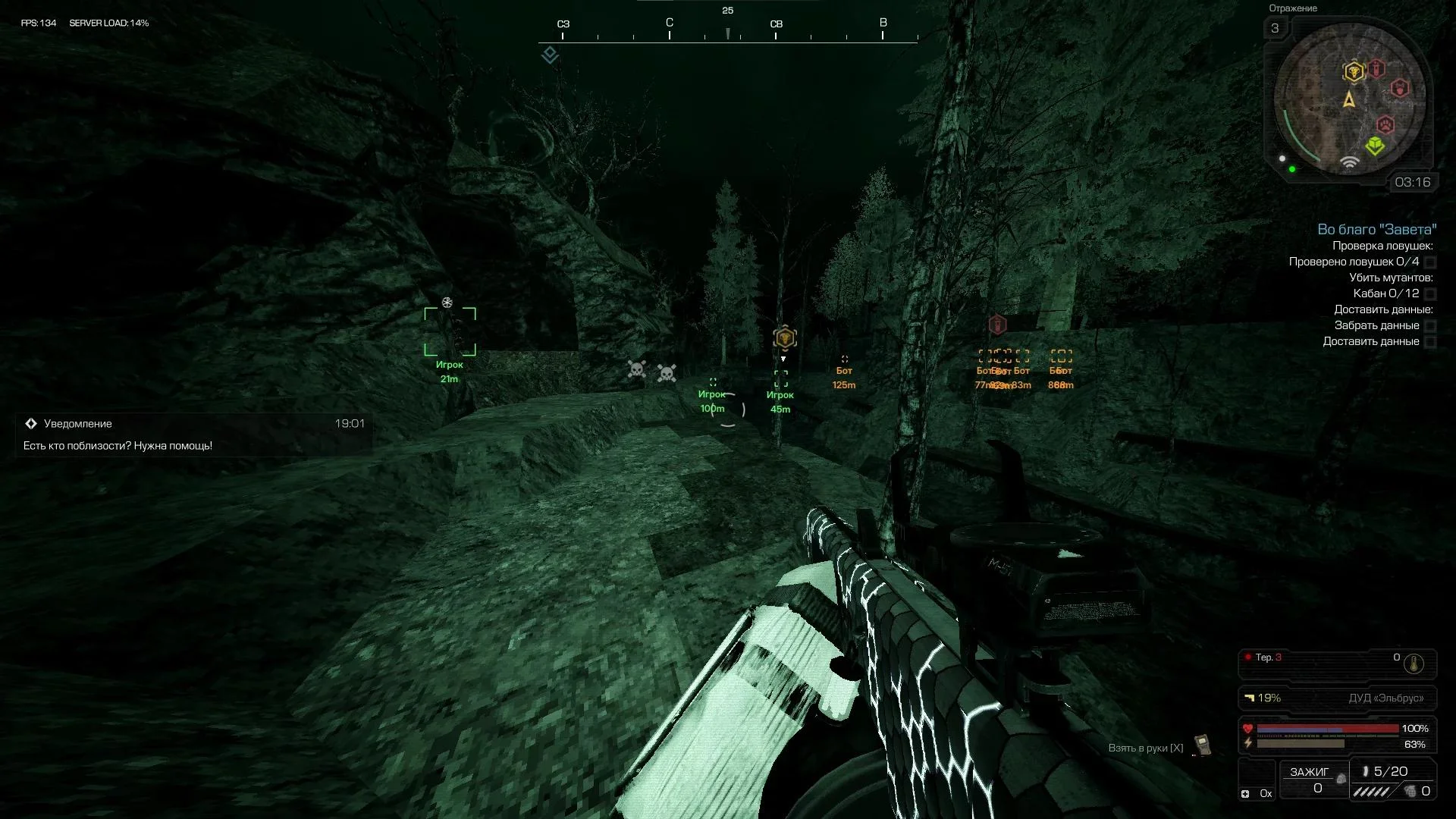
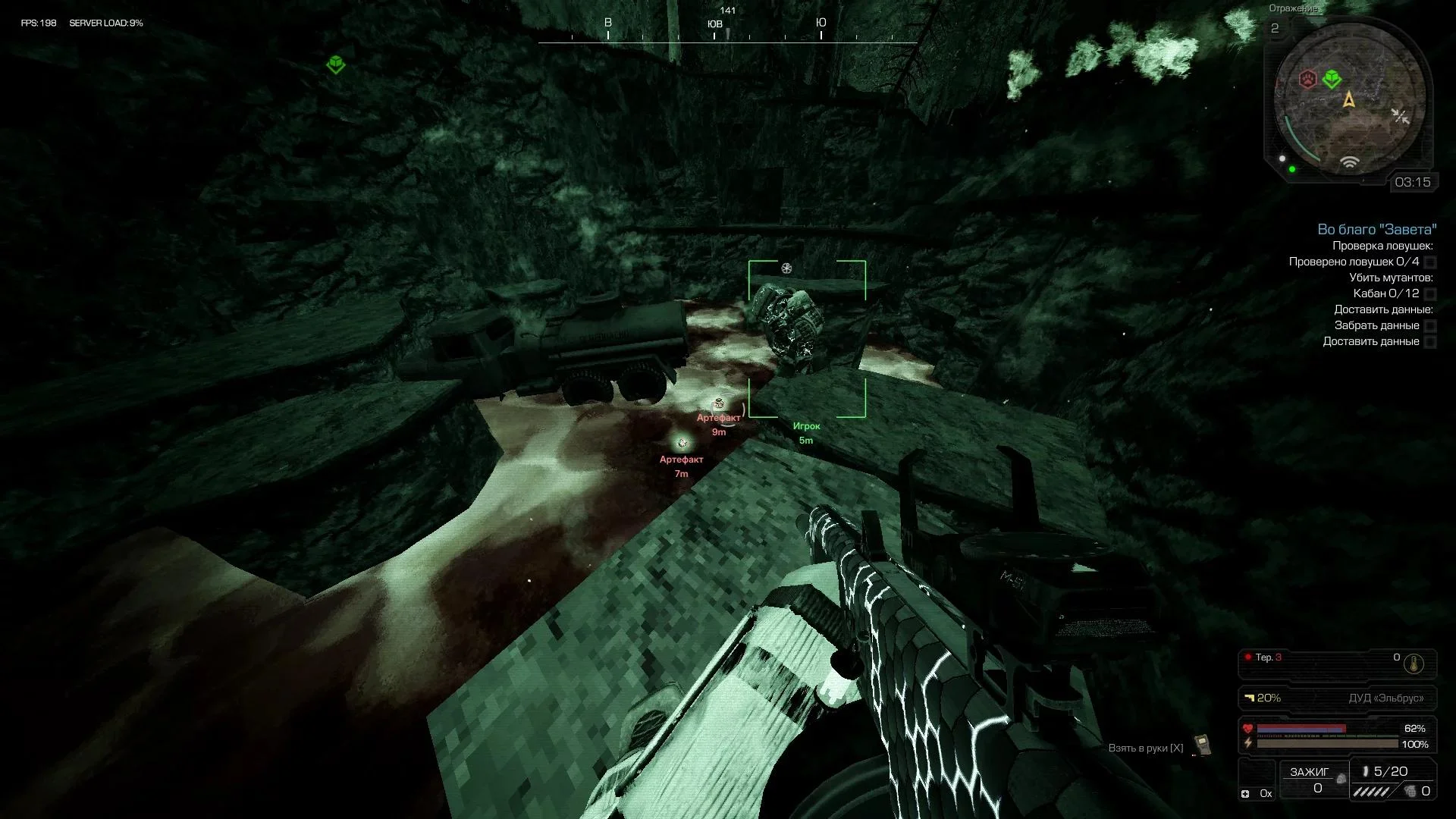
- Софт включает AIM, WH (WallHack), ESP игроков, отображение важных объектов и дополнительные инструменты для получения максимального
- преимущества.
Видео
Функции Софта
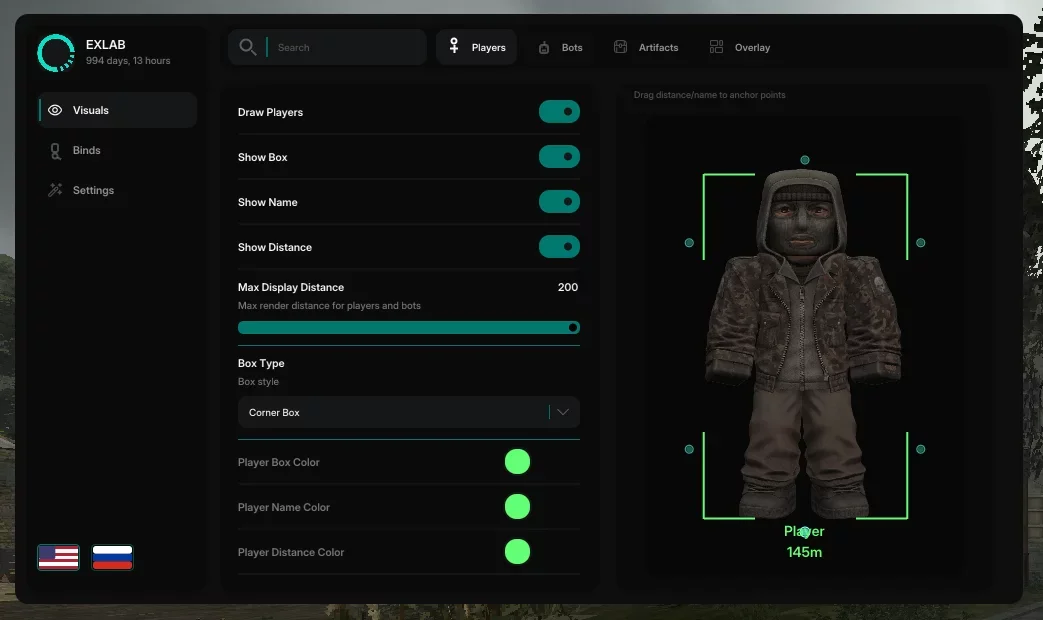
- Players
- Draw Players - Player ESP Master Switch
- Show Boxing - Draws an outline of the box around the player
- Show name - Shows the "Player" caption
- Show distance - Shows the distance to the player
- Max. display distance - Maximum display distance of ESP players
- Boxing type – Boxing style: regular / corner / regular 3D / corner 3D
- Player box color - Box outline color
- Player name color - Name signature color
- Player Distance Color - Distance Label Color
- Player Preview - Drag distance and name markers to anchor points on the silhouette
- Bots
- Draw bots - Main switch for ESP bots
- Show Box - Draws a box outline around the bot
- Show Name - Shows the "Bot" signature on the ESP
- Show distance - Shows the distance to the bot in meters
- Max. display distance — Maximum rendering distance for ESP bots
- Boxing type – Boxing style: regular / corner / regular 3D / corner 3D
- Bot box color - Box outline color
- Bot name color - Name signature color
- Bot distance color - Distance signature color
- Bot Preview - Drag distance and name markers to anchor points on the silhouette
- Artifacts
- Draw Artifacts - ESP Artifacts Master Switch
- Show Box - Draws a box or artifact marker on the screen
- Show Name - Shows the "Artifact" caption on the ESP
- Show distance - Shows the distance to the artifact in meters
- Show radar — Artifact minimap
- Dynamic boxing - Smoothly increases the size of the artifact box over the distance
- Max. display distance — Maximum distance for drawing ESP artifacts
- Box Type - Marker Style: Regular / Corner / Regular 3D / Corner 3D / Dot Marker
- Artifact color - Color of the box, name and distance of the artifact
- Artifact Preview - Drag distance and name markers to anchor points
- Overlay
- Crosshair - Draws a custom crosshair in the center of the screen on top of the game
- Sight Type - Sight Style: Cross/Circle/Dot
- Sight color - Sight color
- Menu
- Menu - Menu switching
- Menu (Alt) - Second menu switch key
- ESP
- Overlay - Show/hide ESP overlay on screen
- Switch players - Turn on/off ESP players by clicking
- Switch bots - Turn on/off ESP bots by clicking
- Toggle artifacts - Turn on/off ESP artifacts when pressed
- Toggle sight - Turn sight on/off by pressing
- Config
- Save - Write settings to a file on disk
- Load - Restore settings from file
- Copy - Copy the config to the clipboard
- Paste - Paste a config from the clipboard
- Reset - Return all settings to default values
- Unload cheat - Unload cheat completely
- Other
- ESP Font Size - Overlay Text Size
- Text Scale by Distance - Reduces the size of ESP labels as the distance to the target increases
- Zoom distance - The distance at which the text reaches its minimum size
- Menu language - Interface switching: English / Russian
- Search by function - Filter settings by name in the top panel
Системные Требования
Игровой клиент:

Steam | EXBO | EGS | VK Play
Поддерживаемые процессоры:

Intel & AMD
OC:

Windows 10 I 11
Spoofer:

None
Античит:

EXBO
Игровой режим:

Windowed

 Мы
используем куки
Мы
используем куки
Отзывов пока нет.